AI prompts: a detailed request gets you finished text in 2 seconds
The test was run in Russian: the requests and the AI's answers are translated here, and the screenshots show the Russian interface.
We tested how AI prompts change the result. We gave the Yenisei AI the same task in two ways. To a four-word request it came back with four questions of its own. To a detailed request it returned a finished post in 2 seconds.
What happens if you write a four-word AI prompt
The first request:
Write a coffee-shop post.
The AI brought in the specialist role «Специалист по соцсетям» ("Social Media Specialist") and asked four questions:
- Which platform is the post for?
- What should the post do: bring in new guests, talk about a new item, keep the regulars?
- What is important to mention about the coffee shop: its name, its neighborhood, what makes it different?
- What tone do you need?
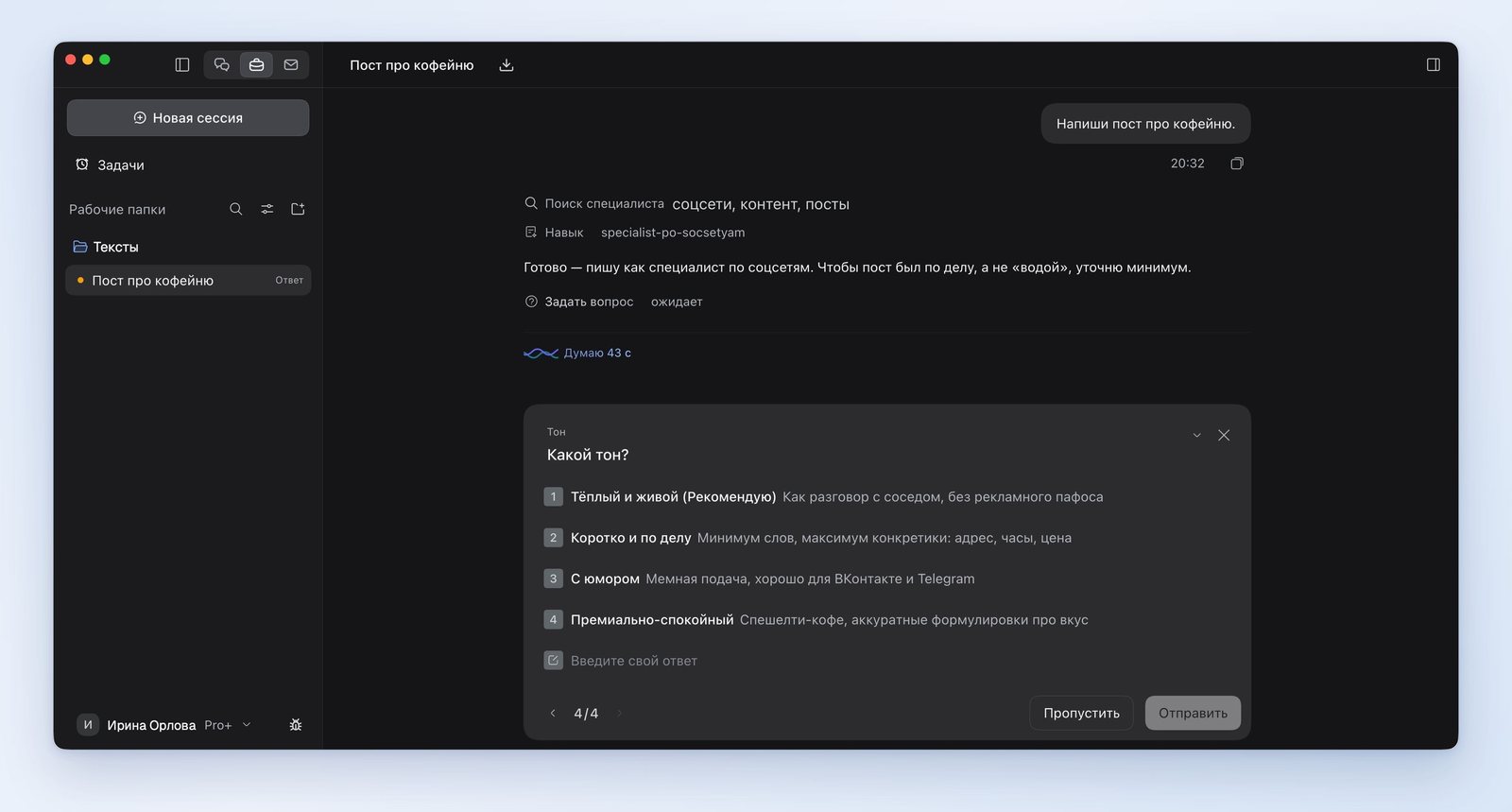
We skipped all four questions. In response we got post templates with blanks in square brackets. At the end the AI listed what it was missing: the name, the address, the business hours and what sets the place apart from the neighboring coffee shop.
The AI's four questions are exactly what a good prompt is made of: where the text will appear, what it is for, what facts go in it and what tone it is written in.
A good AI prompt: what goes into it
We wrote the second request so that no questions were left:
Write a post for the social media community of the "On the Corner" coffee shop. Occasion: starting Monday we open at 7:30 instead of 9:00. For whom: residents of the neighboring buildings who head to work in the morning. Tone: friendly, no exclamation points. Length: up to 400 characters. Address at the end: 12 Sadovaya Street. Don't add anything of your own and don't ask questions.
After 2 seconds the post was ready:
The "On the Corner" coffee shop now opens at 7:30 — starting Monday, every day.
If you're leaving home for work, stop by on your way: coffee, a croissant and a couple of minutes of quiet before the day begins.
12 Sadovaya Street. See you in the morning.
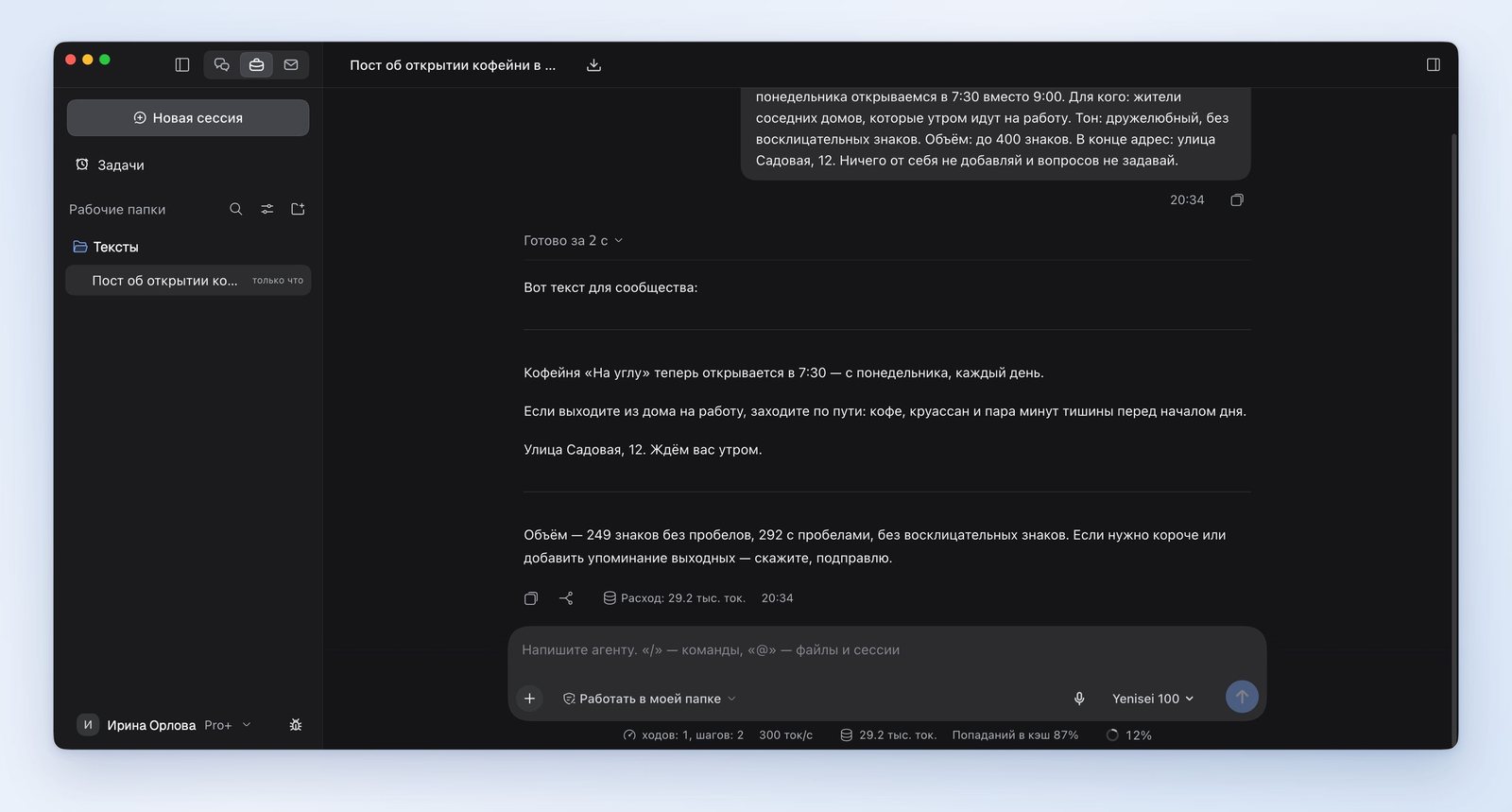
The prompt has six parts: the platform, the occasion, the reader, the tone, the length and the restrictions. The AI met almost all of the conditions. Where it departed from them, we explain below.
How to write an AI prompt with the AI's own help
You can hand the prompt off to the AI itself. We asked:
Write a prompt for an AI that will get it to write a product description for a marketplace. Product: a 450 ml insulated mug. Give the prompt itself as a single block.
The AI assembled a prompt from five parts: the role ("you are an experienced marketplace copywriter"), the product, the requirements for the text, the restrictions and the answer format. In the requirements it specified the structure of the description, a length of 900 to 1,200 characters and a calm tone with no evaluative words. Among the restrictions is this one: don't make up specifications that aren't in the product data.
AI prompt examples we tested
We gave all of these prompts to the AI ourselves; the results are described in separate articles.
- Photo. "Make a photo: a business portrait of a woman of about thirty in a bright office, like for a resume. Vertical format." The result is in the article "AI for photos".
- Photo edit. "Remove all the people from this photo. Leave the beach, the sea, the umbrellas and the lounge chairs as they are." The result is in the article "AI photo editor".
- Product card. "Turn this photo into a product card with infographics. A headline at the top, three benefits next to the mug." The result is in the article "AI for product cards".
- Contract. "Prepare a protocol of disagreements: for each clause unfavorable to us — the supplier's wording, our wording and the reasoning." The result is in the article "AI for lawyers."
- Code. "Write a Python script: revenue by month and the three products with the highest revenue. Run it and show the result." The result is in the article "AI for code."
Where the AI got it wrong
- We asked it not to add anything of its own. The post ended up with a croissant and the words "every day," which were not in the request.
- About the post the AI wrote: "292 characters including spaces." In fact the Russian original has 214 characters. You have to count the length of a text yourself.
- Into the prompt for the product description the AI wrote properties we never named: stainless steel and a sip-through lid. In that same prompt it forbade making up specifications.
Cheat sheet: what to write in a prompt
- Where the text or image will appear: a social network, a website, a product card.
- Facts: names, dates, numbers, addresses. Everything the AI can't know.
- Who it's written for.
- Tone and length.
- Restrictions: what must not be in the answer.
We tested the AI prompts in the Yenisei Agent app. The same prompts work in Yenisei Chat: it opens in a browser, and no VPN is needed.
Try it on your own task
The agent works in the app for Windows, macOS and Linux. Sign in with your email and a code from the message; the basic plan is free.