AI writing tool: the AI writes an About Us page in 2 seconds
The test was run in Russian: the requests and the AI's answers are translated here, and the screenshots show the Russian interface.
We tested an AI writing tool on four tasks for an electronics repair shop: an About Us page, a short version of it, a social media post, and a blog article. The Yenisei AI wrote the short texts in 2 seconds and the 5,000-character article in 23 seconds. It got two things wrong: it added facts of its own and miscounted the characters.
How to ask AI to write a text
We gave it five facts and two restrictions:
Write the text for the About Us page of an electronics repair shop. Facts: we have been in business for 12 years, we repair laptops and phones, diagnostics are free, the warranty is six months, and we fix most problems the same day. Length: about 1,000 characters. No filler and no advertising clichés, and don't add anything of your own.
After 2 seconds, the AI showed five paragraphs. All our facts are in them, and there are no advertising clichés. The text begins like this:
The shop has been in business for 12 years. In that time, we have repaired thousands of laptops and phones, from replacing ports and keyboards to recovery after liquid damage and screen replacement.
We wrote nothing about thousands of devices or types of repair. The AI added that on its own, even though it was asked not to. In the same way, parts in stock and service with no wait appeared in the text.
How the AI helps with a text: removing the extras and cutting it down
We asked it to fix that:
Remove from the text everything that was not in my facts, and cut it in half.
The new version arrived in 2 seconds. Below the text, the AI listed what it had removed as not supported by our facts.
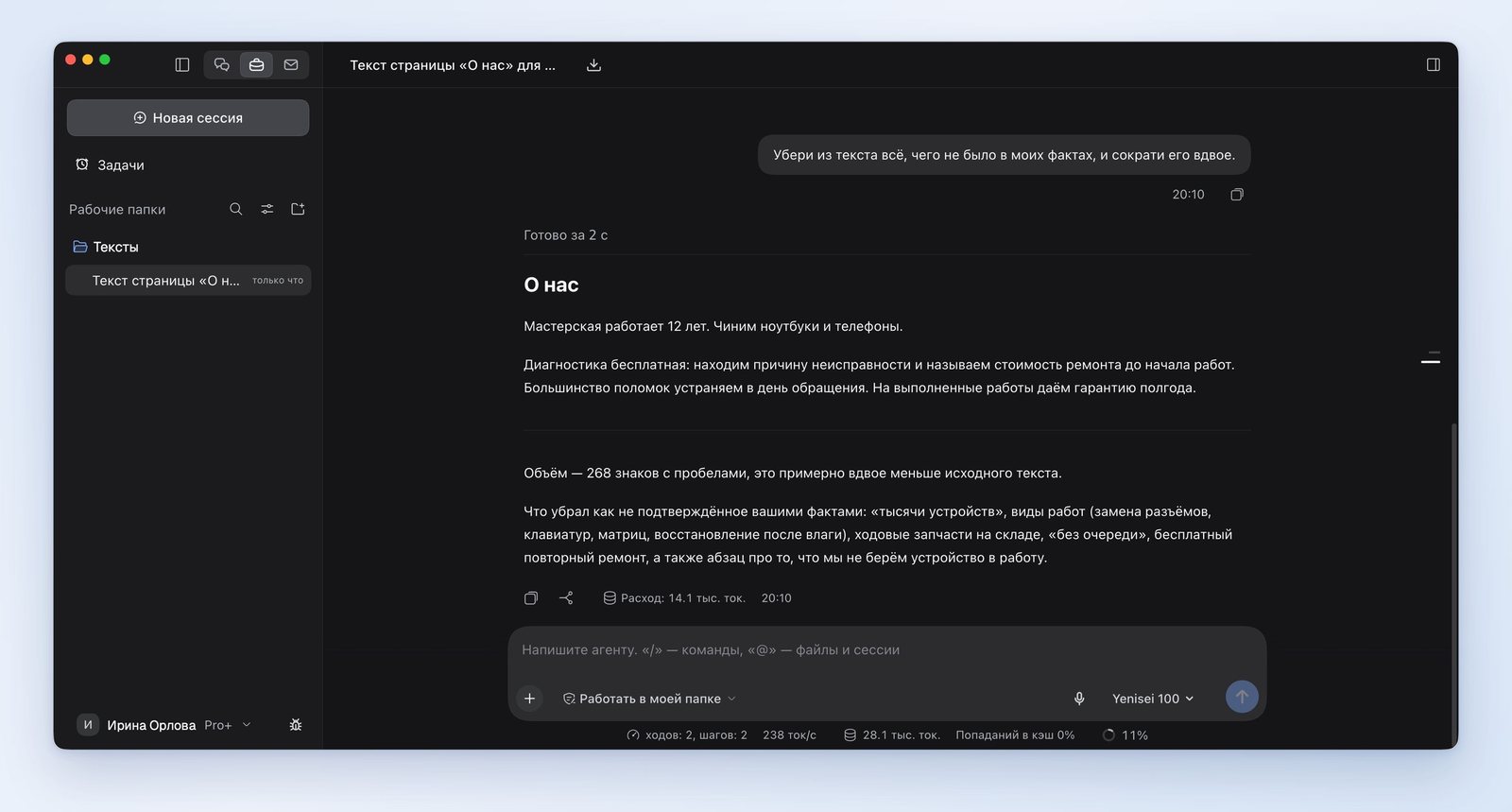
Four sentences are left in the text, and almost all of them are built from our facts.
How to turn a text into a post and headlines
The third request:
Turn this text into a social media post with a call to book a diagnostic, and suggest five headlines for the About Us page.
Before starting, the AI offered to enable the specialist role «Специалист по соцсетям» ("Social Media Specialist"). We agreed. The post is 412 characters long and has a call to action and hashtags. The AI did not put a phone number or an address in the post and wrote that it does not make up such details: you have to add them yourself.
It built the headlines only from our facts. Here are two of the five:
Free diagnostics and a six-month warranty on repairs
We repair laptops and phones: most problems are fixed the same day
AI for long texts: an article in a Word file
The last task was a long text:
Write an article for the shop's blog, "How to choose a laptop for school," 5,000 characters long, with subheadings, and save it to a Word file.
After 23 seconds, there was a Word file in the folder. The article has 11 subheadings, from "Tasks first, then specs" to "What to check in the store before you pay." At the end, there is a six-item list for readers who skim.
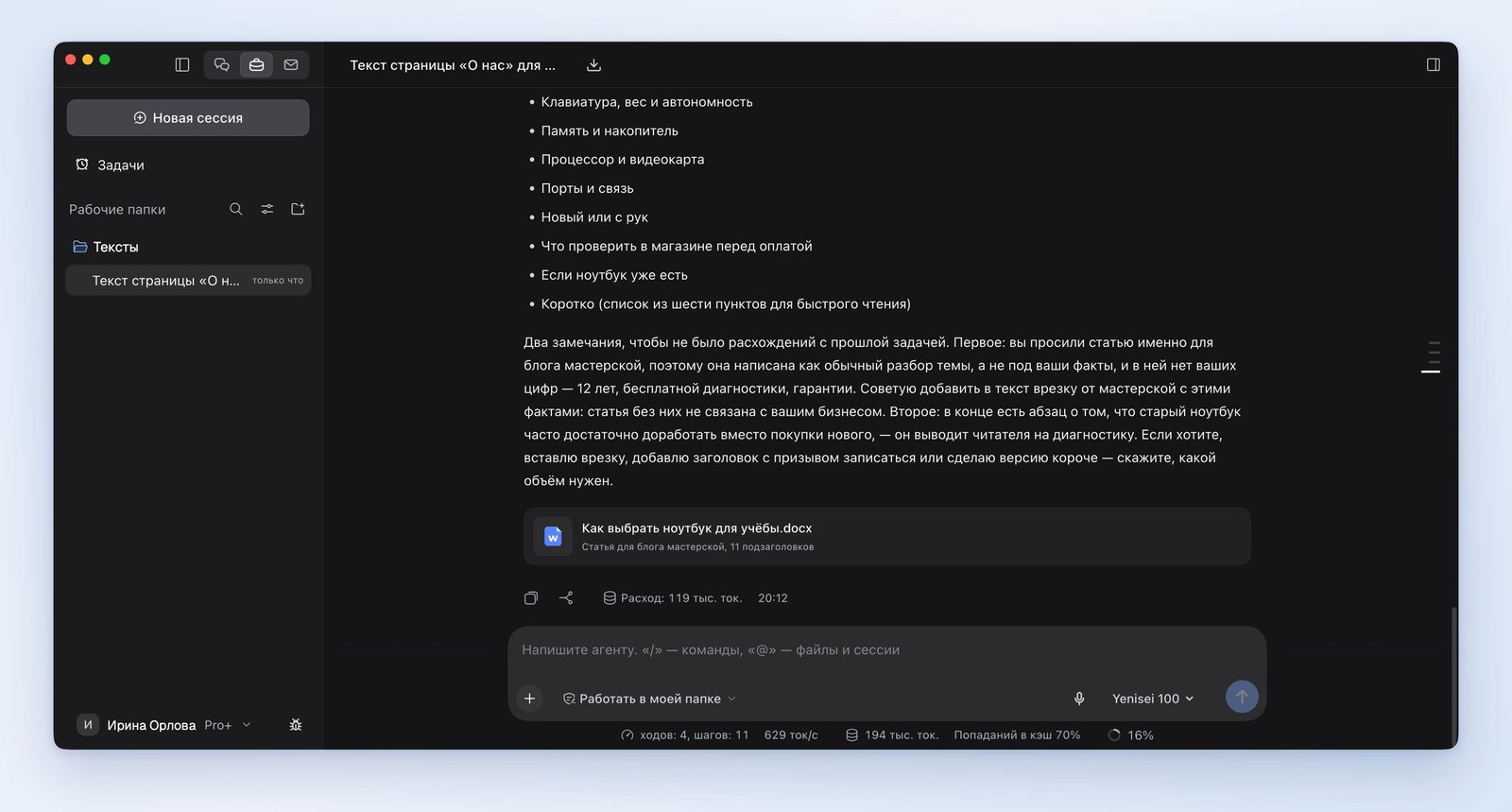
In its answer, the AI itself pointed out a shortcoming of the article: it has no facts about the shop, and it would be worth adding a sidebar with those facts.
Where the AI got it wrong
- We asked it not to add anything of its own, but four details we had not given appeared in the first text. After the second request, the AI removed them but kept one phrase that was not in the facts: "we tell you the cost of the repair before the work begins."
- The AI miscounts characters. It wrote that the first text had "1,015 characters," but it has about 780. It called the short version "about half the length," but that version is a third the length of the original.
- The article came out at 5,497 characters instead of 5,000, that is, a tenth longer.
The takeaway is simple: you have to check the facts and the length of the finished text yourself.
An AI chat for writing or the app
We tested the AI on texts in Russian in the Yenisei Agent app for Windows, macOS, and Linux. It saves texts as Word files in a folder on your computer. In Yenisei Chat, you can write the same texts in a browser, and there is nothing to install. No VPN is required.
What to choose
- A post, an email, a short text — the chat in your browser.
- An article or several texts at once — Yenisei Agent. The finished Word files are kept in one folder.
- A text about your own company — give the AI the facts as a list and check the result against it.
Try it on your own task
The agent works in the app for Windows, macOS and Linux. Sign in with your email and a code from the message; the basic plan is free.