AI video generator: Yenisei made five videos with sound
The test was run in Russian: the requests and the AI's answers are translated here, and the screenshots show the Russian interface.
We tested an AI video generator on five tasks. Yenisei Chat shot a reel for a coffee shop and a three-scene mini-series with the same main character, brought an old photo to life, and made a blogger video and a product ad. Each video runs 5 to 16 seconds, and every one has sound. A single scene takes about a minute to shoot.
How to make an AI video: a reel for social media
You order a video in words, the way you would from a camera operator: what's in the frame, the format, the length, the sound.
Make a vertical 9:16 video, 8 seconds long, for a coffee shop's social media: close-up, a barista draws a heart with milk on a cappuccino, steam over the cup, warm morning light, the camera slowly moves in. Sound: coffee machine noise and quiet music.
Before shooting, the AI restated the requirements in one line and asked if everything was correct. We confirmed, and in under a minute the video was in the chat.
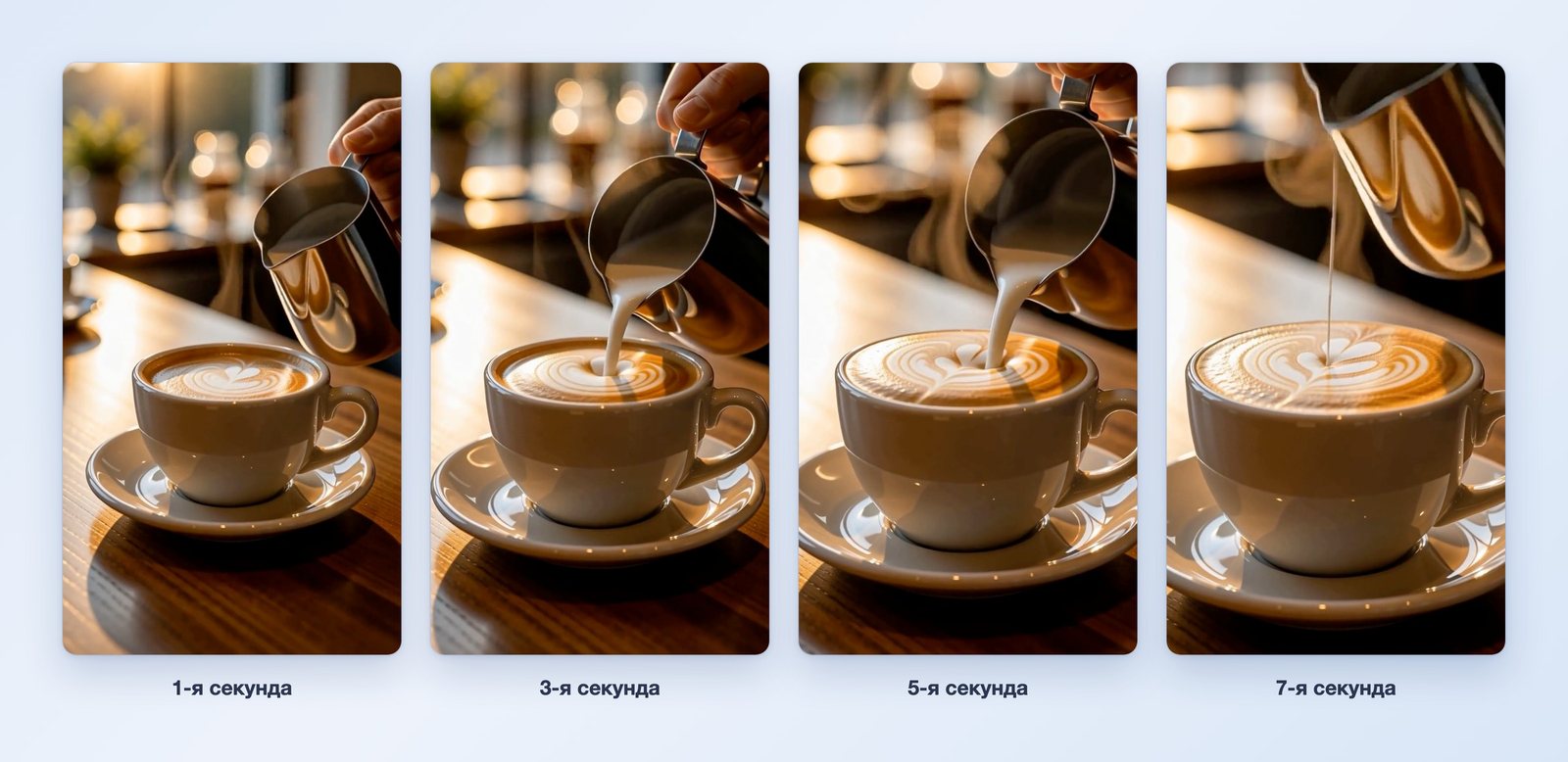
The video is 8 seconds long, the frame is 768×1344 pixels, and it runs at 24 frames per second. The camera moves in toward the cup, as we asked. The video has an audio track.
You can watch the video right in the chat, and there's a download link under it.
Create an AI video: a three-scene mini-series with the same main character
The second task is harder: three scenes, and the main character has to be the same in all of them.
Now shoot a mini-series called "First Day in a New City" with three 5-second scenes and the same main character: a 25-year-old woman, shoulder-length red hair, a green coat. 1) She gets off a train at the station with a suitcase and looks around. 2) She walks down a rainy evening street and notices a small coffee shop with warm light. 3) She sits in the coffee shop by the window with a cup and smiles. 16:9 format, city sounds and calm music. Stitch the three scenes into one video.
The AI shoots one scene per reply. After the first and second scenes it asked whether to continue, and after the third it stitched all three into one video.
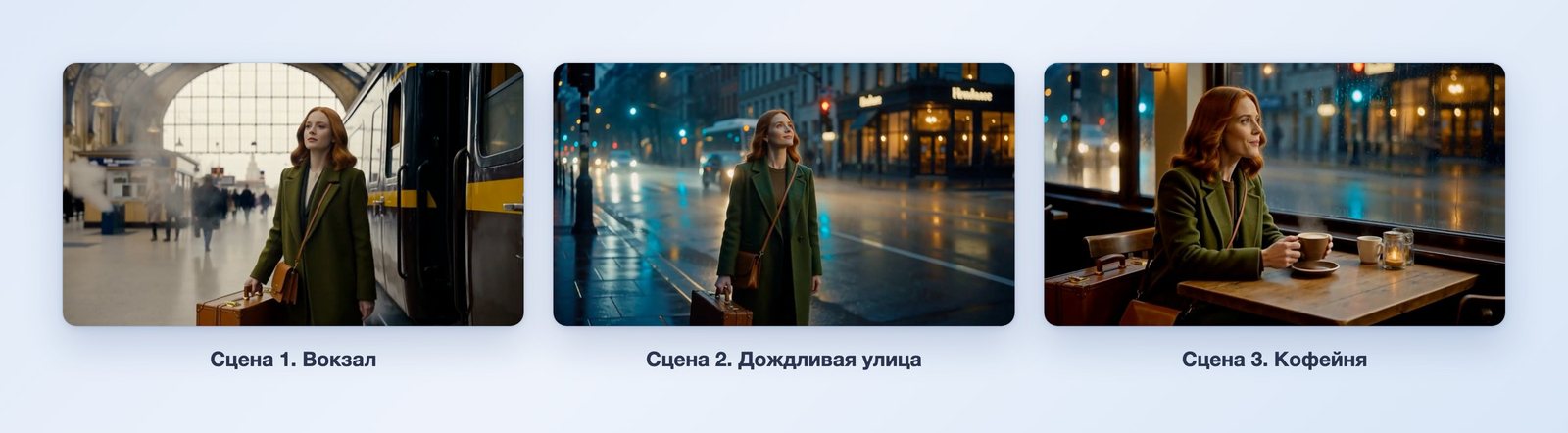
The stitched video is 16 seconds long, and the frame is 1344×768 pixels. The main character is recognizable in all three scenes: the same red hair, the same green coat, the same shoulder bag and the same suitcase. Counting our replies, the mini-series took about six minutes.
The "bring an old photo to life" trend: video from a picture
Old photos brought to life are one of the most common trends on social media. This trend needs a video that starts from an existing picture. We asked the AI to draw the test photo as well; there are no real people in it.
Draw an old black-and-white photo from the 1960s: a young couple stands by a wooden house in a village and looks into the camera, horizontal frame. Then make a 5-second video where this photo is the first frame: the couple turns to each other and smiles, the wind stirs the leaves. No music, only village sounds.
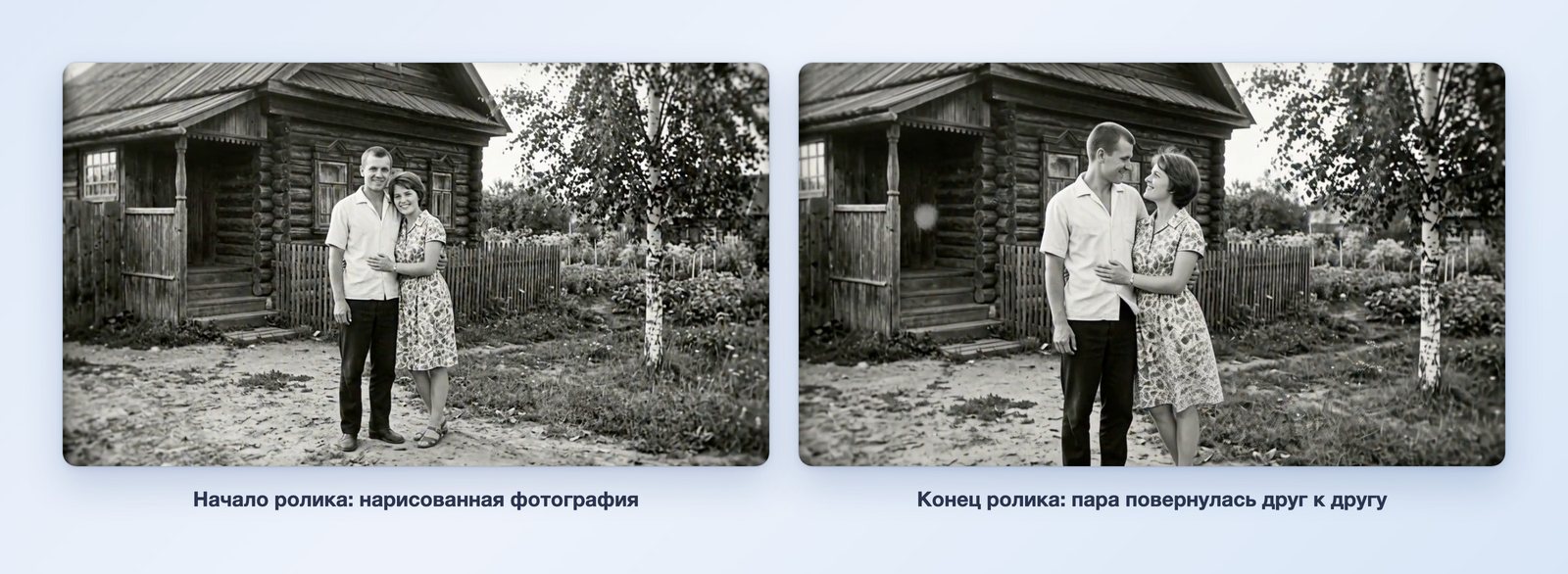
The video starts with the photo the AI drew. Over five seconds, the couple turns to each other and smiles. The house, the fence and the birch stay in place, and the photo keeps the look of old film.
A video with a blogger talking to the camera
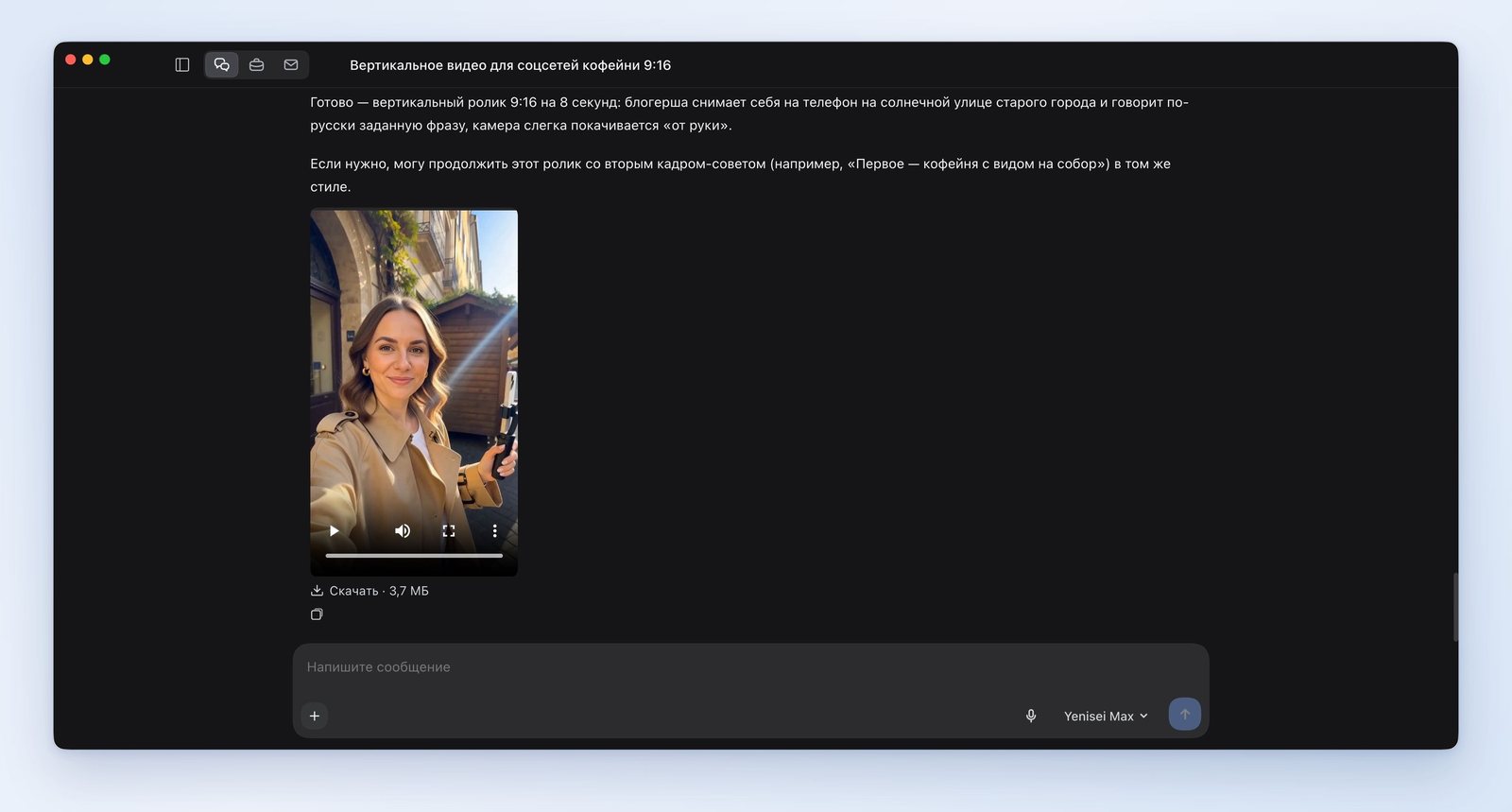
Another video with speech, vertical 9:16, 8 seconds: a female blogger films herself on her phone on a street in the old town, looks into the camera and says in Russian: "Hi! Today I'll show you three places worth stopping by this weekend." Sunny day, slight camera movement, as if filmed handheld.
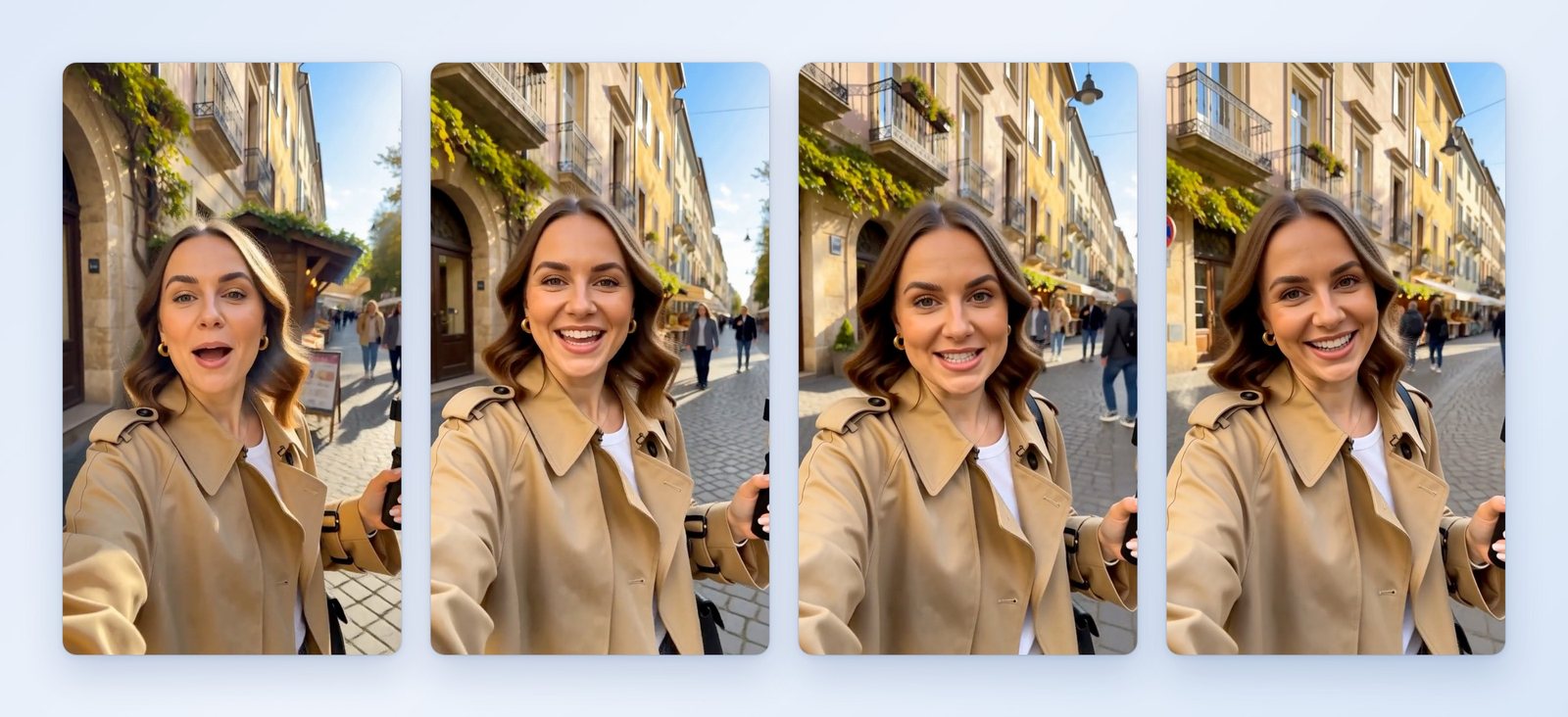
The blogger looks into the camera and speaks Russian, and the video opens with her "Hi!" The frame sways slightly, as if filmed at arm's length, and passersby walk behind her.
A product ad
The last example is a short video about a product. We asked the AI to draw the product itself first, and then shoot a video from the picture:
Last example: a product ad. Draw a product photo: a jar of raspberry jam with a kraft paper lid on a wooden table, fresh raspberries and a spoon next to it, soft light from a window, square frame, no text. Then shoot a 6-second video from this photo: the camera slowly circles the jar, the spoon scoops up jam, a drop trails from it. Sound: light music.
The AI drew the picture, but the video from it failed to start. It immediately offered two ways out: shoot the same scene from the description, without tying it to the picture, or shoot it without sound. We chose the first.
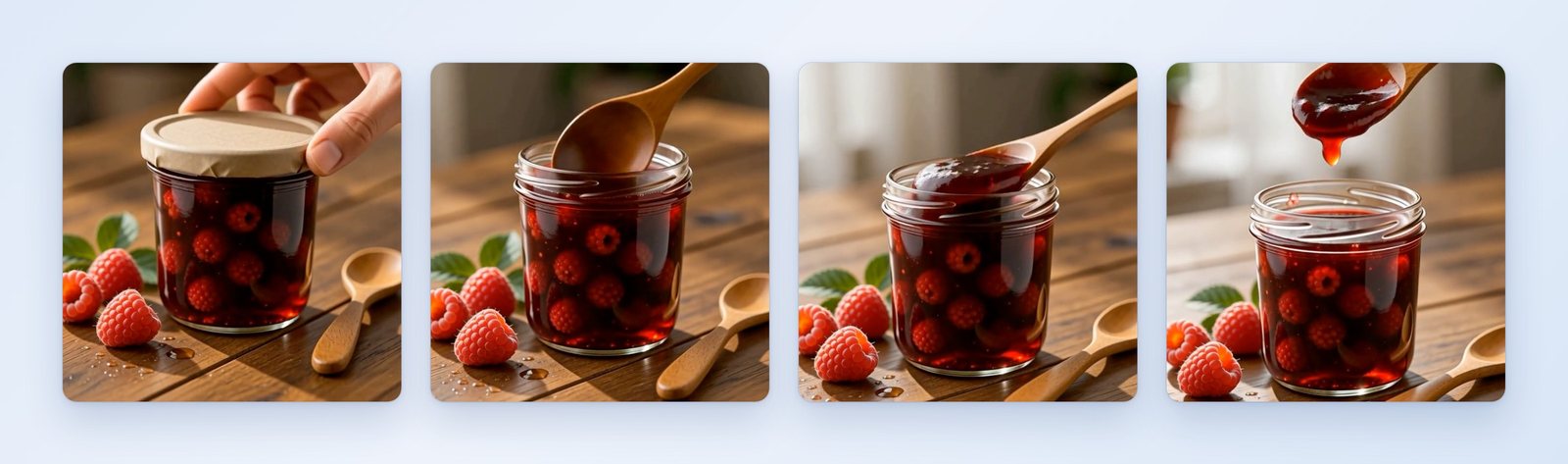
In the video, a hand takes off the lid, a spoon scoops up the jam, and a drop trails from it. The frame is square, 768×768 pixels, the length is almost 7 seconds, and music plays.
What to keep in mind
- One video per reply. A series of several scenes is shot step by step, and at each step the AI waits for your reply.
- A video from a picture doesn't always start. With the old photo it worked on the first try; with the jam jar it didn't. The fallback is to shoot the scene from a description.
- The AI decides small details on its own. In the reel we asked for a heart in the foam, but got a leaf pattern.
- Scenes differ in volume after stitching. In the mini-series, the second scene is noticeably louder than the first and third.
- One second of video costs one credit. Our five videos add up to 44 seconds.
- There's only one frame size: 768 pixels on the short side. That's enough for social media, but too little for a big screen.
- You can't film real people without their consent. This also applies to photos being brought to life.
What to put in a video request
All five requests have the same parts:
- format and length — "vertical 9:16, 8 seconds", "16:9, three 5-second scenes", "square frame";
- who does what — one action per scene;
- camera — "slowly moves in", "circles", "as if filmed handheld";
- light and setting — "warm morning light", "rainy evening street";
- sound — music, noise, the words the character says;
- what should stay the same — the character's looks and clothes, if there are several scenes.
Where the AI video generator works
You can make videos in two places, and they work the same way.
- The Yenisei Agent app for Windows, macOS and Linux, the «Чаты» ("Chats") section. We shot our videos here: the conversation, the videos and the downloaded files are in one window on the computer.
- Yenisei Chat in the browser — if you'd rather not install the app.
You can ask the AI to create a video in a regular message, and the finished video appears in the chat. No VPN required.
We covered multi-scene cartoons with one character in the article How to make an AI cartoon. A one-minute episode with a plot and a hook at the end is in the article AI for series.
You can draw the source pictures for your videos in the same place. Ready-made descriptions for photos are collected in the article AI photo prompts, and a series of shots of the same person is in the article "AI for photo shoots".
What to choose
- A reel, a story, a post cover — Yenisei Agent, the "Chats" section, or Yenisei Chat in the browser: describe the scene, the format and the sound. You don't need to install both.
- A mini-series or a multi-scene video — the same place: describe the character once and shoot the scenes one at a time, then ask for them to be stitched together.
- An ad video — watch it with the sound on before publishing and check every detail of the product.
Try it on your own task
The agent works in the app for Windows, macOS and Linux. Sign in with your email and a code from the message; the basic plan is free.