AI photo prompts: 8 descriptions we tested on the AI
The test was run in Russian: the requests and the AI's answers are translated here, and the screenshots show the Russian interface.
We put together eight AI photo prompts and tested each one: we gave the Yenisei AI the description word for word and got a photo back. One photo took 13–14 seconds, and all eight took about two minutes. The descriptions and the results are below. You can copy these ready-made AI photo prompts and change them to suit your needs.
What an AI photo prompt is made of
All the descriptions that work have the same parts:
- who or what is in the frame — "a 30-year-old woman," "cottage cheese pancakes with sour cream," "a perfume bottle";
- where and when — "by a window," "on a wooden table," "in winter at dawn";
- the light — "soft daylight from the side," "hard side light," "warm evening light";
- how it is shot — "top-down view," "close-up," "85mm lens," "blurred background";
- the format — a vertical, horizontal, or square frame.
The more of these you name, the less the AI decides on its own. The last two examples show this clearly.
Prompts for creating AI photos: portrait, food, landscape, object
- Portrait of a 30-year-old woman by a window, soft daylight from the side, a slight smile, a beige sweater, blurred room background, 85mm lens, shallow depth of field, natural skin tones, vertical frame.
- Cottage cheese pancakes with sour cream and raspberries on a ceramic plate, top-down view, wooden table, morning light from a window, a linen napkin, a cup of coffee beside it, food photography, square frame.
- Lake Baikal in winter at dawn: clear ice with cracks in the foreground, a rocky island in the distance, a pink and blue sky, 16mm wide angle, horizontal frame.
- An amber glass perfume bottle on a black stone, water droplets, hard side light, deep shadows, dark background, advertising product photography, vertical frame.
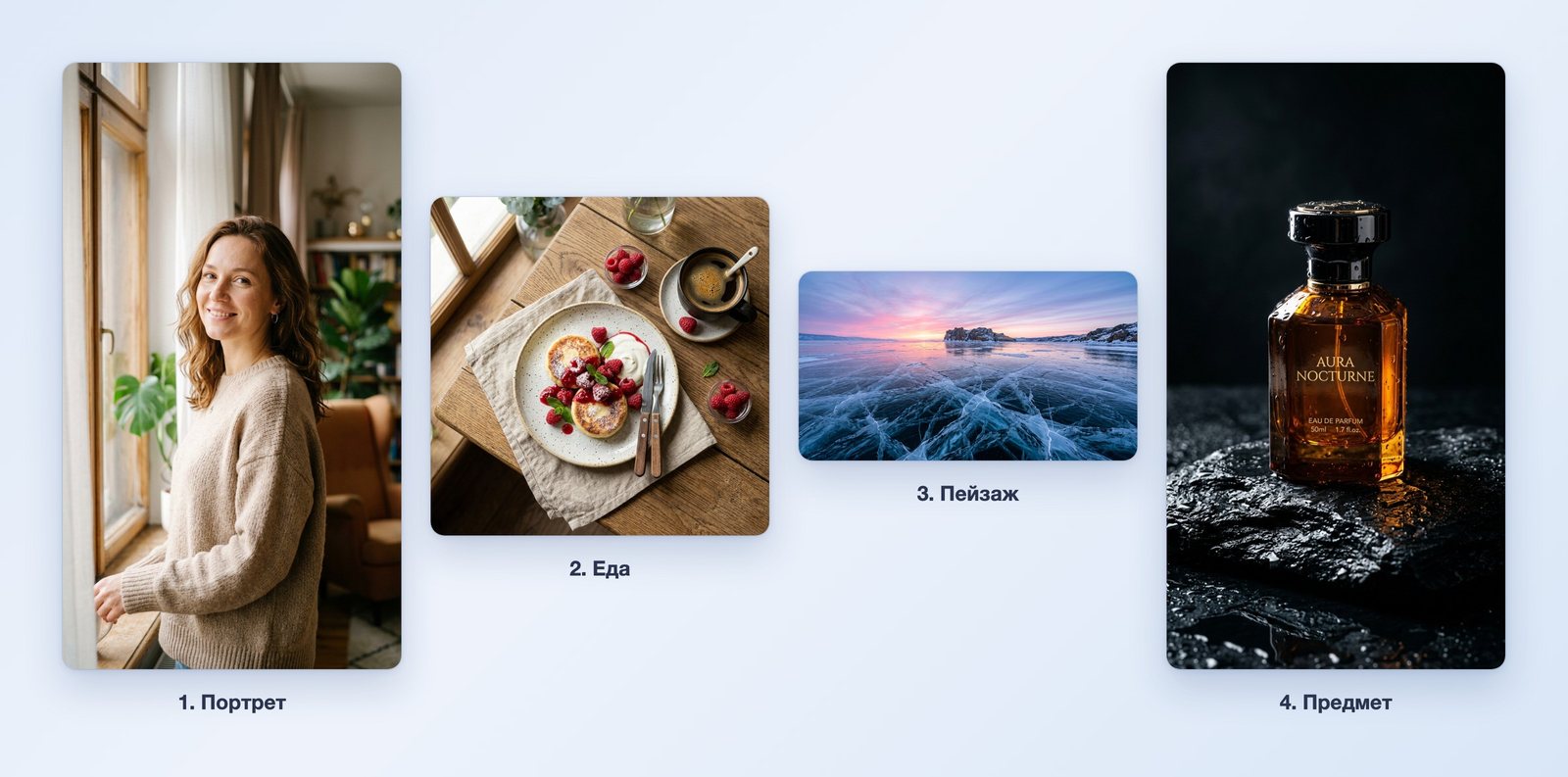
All four photos match the descriptions: the sweater is beige, the light comes from the side, the pancakes are shot from above, the ice has cracks, and the bottle is amber. The AI stuck to the frame format in every one: the vertical photos came out at 768×1376 pixels, the square one at 1024×1024, and the horizontal one at 1376×768.
Text for AI photos with people and the city
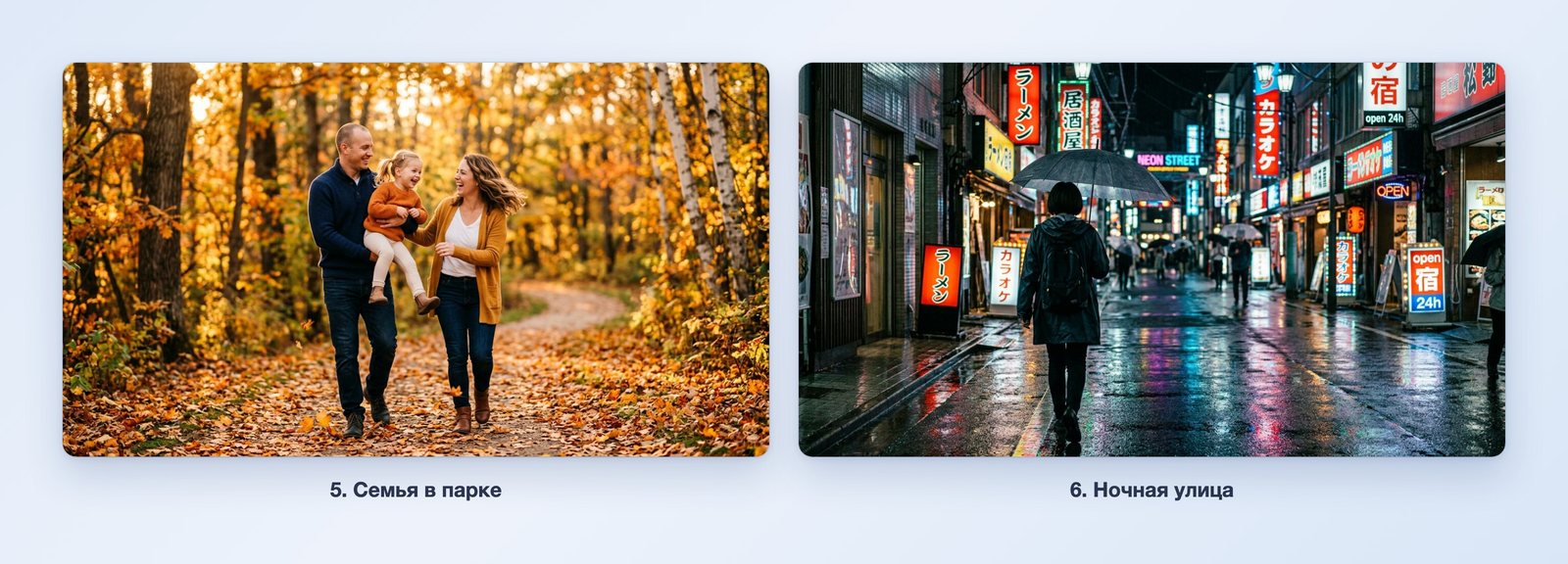
- A family of three — mom, dad, and a five-year-old daughter — walking through an autumn park, yellow leaves, warm evening light, everyone laughing, shot in motion, natural poses, horizontal frame.
- A night street after rain, neon signs reflected in the wet asphalt, a person with an umbrella seen from behind, cinematic shot, 35mm lens, light film grain, horizontal frame.
A short prompt and a detailed one: what's the difference
We deliberately left the seventh description as a single word and wrote the eighth in detail.
- Cat.
- An orange cat sleeping on a windowsill next to a geranium, winter morning, snow falling outside the window, warm light from the room, close-up, shallow depth of field, horizontal frame.
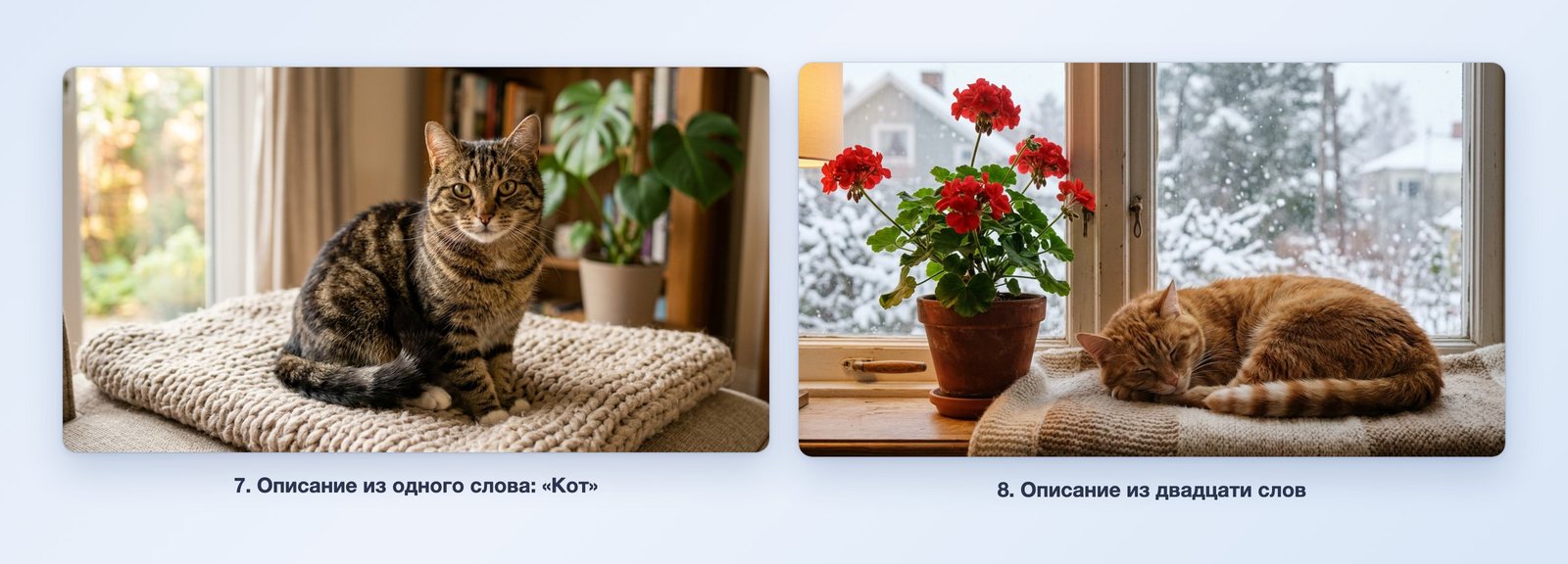
For the single word "Cat," the AI chose everything itself: the breed, the blanket, the room, the light. The photo is good, but there is no way to predict it. The detailed description produced what was ordered: an orange cat, a geranium, snow outside the window.
What to keep in mind
- Text appears on its own. On the perfume bottle the AI wrote a name we had not asked for. If you don't want text, add "no text" to the description.
- Whatever you don't name, the AI will choose itself. The night street description did not name a city, and the signs came out with East Asian characters. If you need your own city, name it.
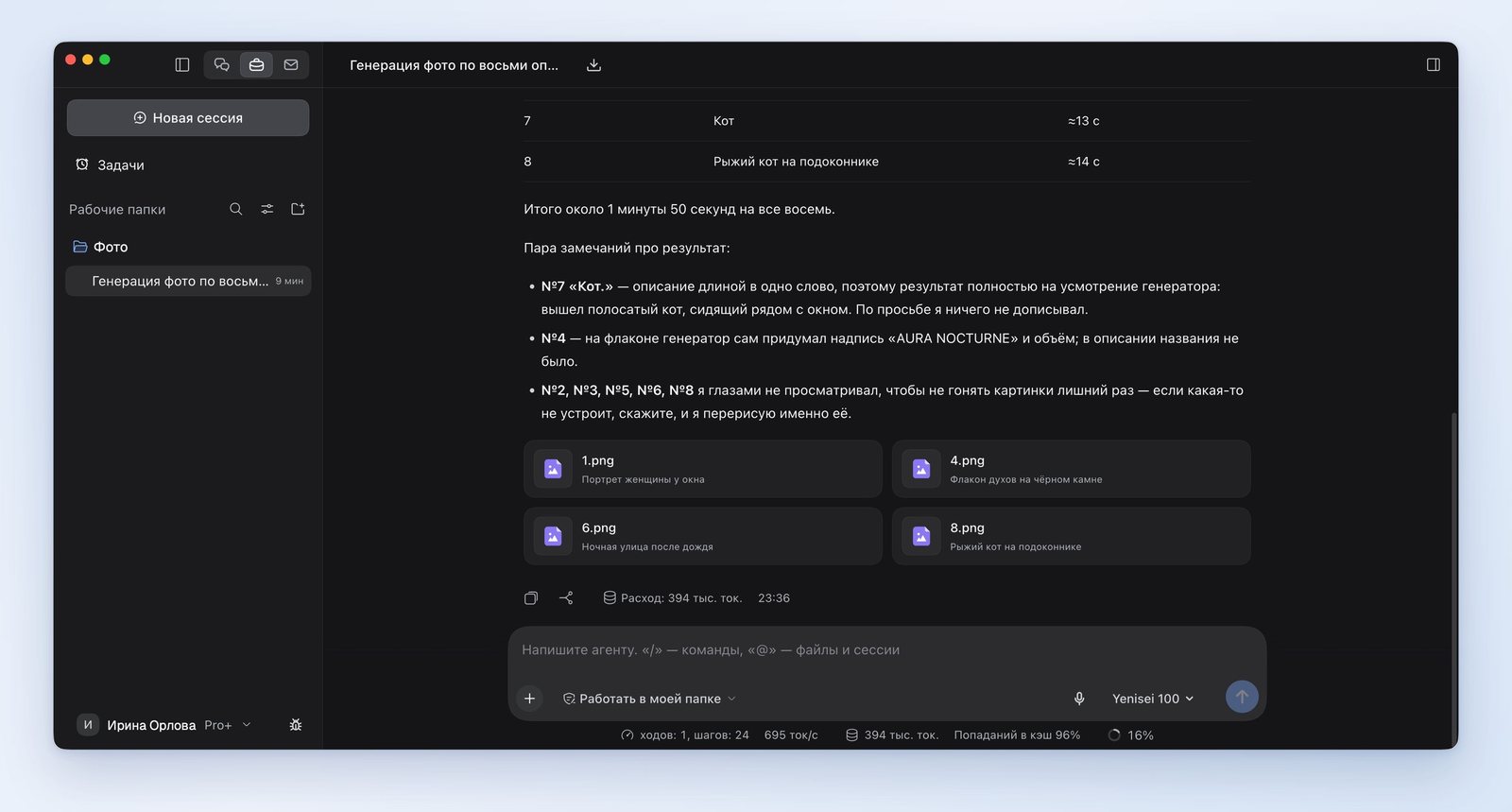
- The descriptions were passed along word for word. We asked for nothing to be added, and the AI itself reported that this is what it did.
Where these prompts work
We tested in the Yenisei Agent app for Windows, macOS, and Linux: the eight descriptions were in one file, and the AI sorted the finished photos into a folder by number. In Yenisei Chat you write the description right in the message. No VPN is required.
We covered prompts for an AI photo shoot based on your own photo separately, in the article "AI for a photo shoot." How to change a finished photo with words is shown in the article "AI photo editor".
What to choose
- One photo from a description — Yenisei Chat in the browser.
- A series of photos from a list of descriptions — Yenisei Agent: a file of descriptions goes in, a folder of photos comes out.
- A photo for an ad or a product listing — check the text and the small details before you publish.
Try it on your own task
The agent works in the app for Windows, macOS and Linux. Sign in with your email and a code from the message; the basic plan is free.