AI-assisted development: the AI built a web app with tests in 1 minute 25 seconds
The test was run in Russian: the requests and the AI's answers are translated here, and the screenshots show the Russian interface.
We tested AI-assisted development on a small web app: customer bookings for a repair shop. Yenisei's AI first showed a plan and waited for approval. Then, in 1 minute 25 seconds, it wrote the server, the pages and the tests and saved each step in git. We launched the app ourselves and checked it with real requests: everything we asked for works.
Where AI-assisted development starts
This was the request:
Make a small web app called "Repair Shop Booking": a Python server with no third-party libraries, a page with a form (name, phone, device, date), bookings stored in a JSON file, and a separate page with the list of bookings. Write tests and run them. Set up git and save each step as a separate commit. First show me the plan and wait for my "yes."
First the AI showed a plan: which files there would be, what the tests would check and which commits would appear in git.
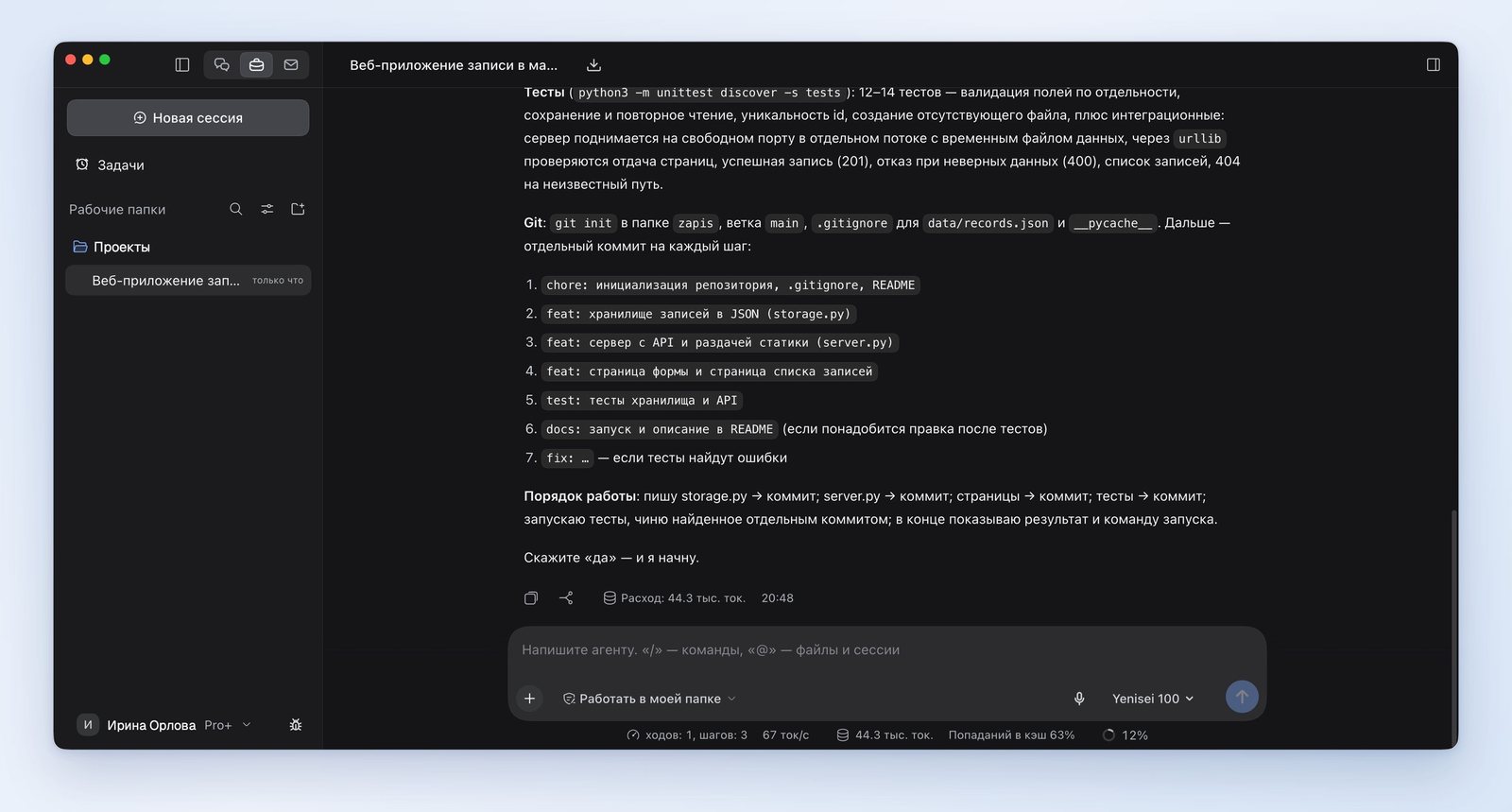
We answered "yes."
What AI for app development did in 1 minute 25 seconds
Eight files appeared in the folder. Six of them, the ones with code and pages, contain 1052 lines:
| File | What's in it | Lines |
|---|---|---|
| server.py | the server and booking intake | 209 |
| storage.py | booking storage and data validation | 164 |
| tests/test_app.py | the tests | 298 |
| three files in the static folder | the form page, the list page, the styles | 381 |
The other two files are a project description and a list of what shouldn't go into git.
The git history has seven commits, one per step: the project skeleton, the storage, the server, the pages, the tests, a fix and the description. The sixth commit appeared because the tests found a bug: the server answered an unsupported request with the wrong code. The AI fixed that as a separate step.
What our check showed
There turned out to be 31 tests, though in the plan the AI had promised 12 to 14. We ran them ourselves: they all pass.
Then we started the server and sent it six requests:
| Request | Server response |
|---|---|
| A valid booking | saved |
| No phone number | rejected: "Enter a phone number" |
| Letters instead of a number | rejected: "The phone number must have at least 10 digits" |
| Date in the wrong format | rejected: "The date must be in the format YYYY-MM-DD" |
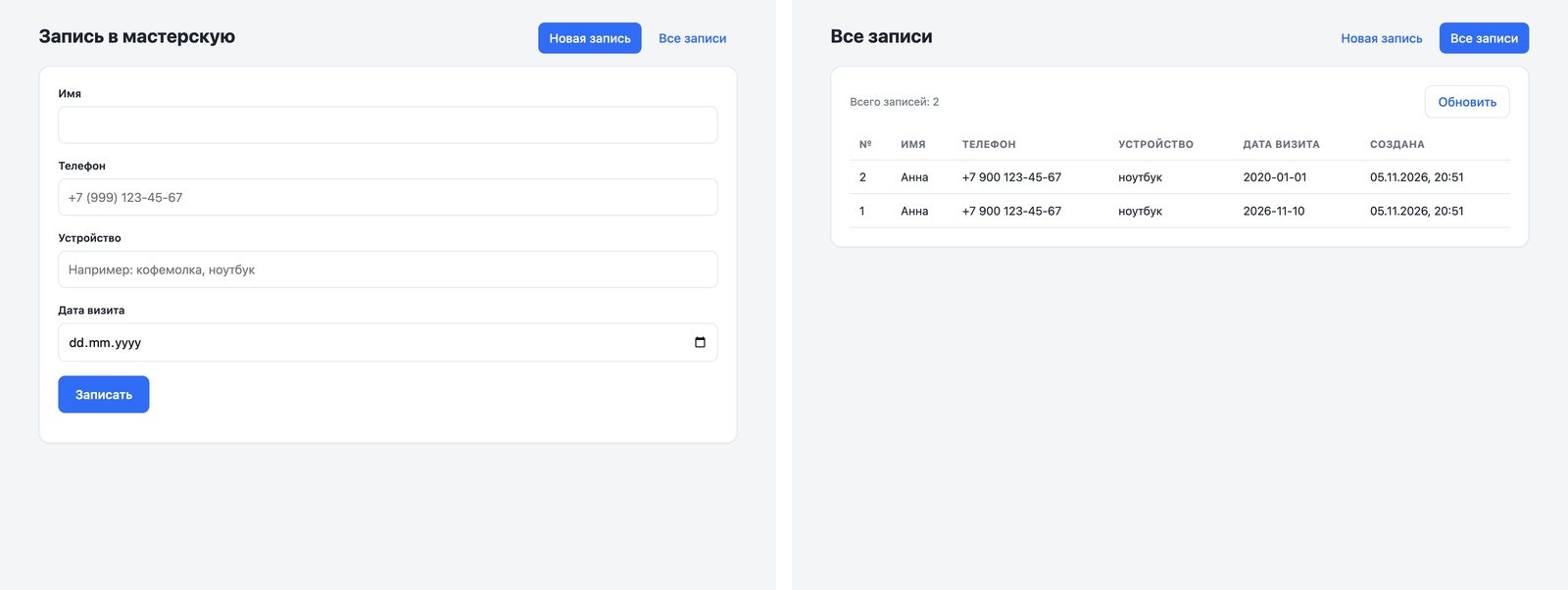
| List of bookings | both saved bookings are there |
| Date in the past | saved |
What still needs work before launch
The AI did everything we asked for. For use with real customers, the app is missing two things that the request didn't say a word about:
- A date check. The app accepts a booking for a day that has already passed. We made a booking for January 1, 2020, and it was saved.
- Protection for the list. The page with customers' names and phone numbers is open to anyone who knows the address.
Requirements like these need to be stated in the request or added as a next step.
AI for developers: Yenisei Agent or Yenisei CLI
These are two separate products, and you don't need to install both. Each one writes code, runs tests and keeps a history in git on its own.
The Yenisei Agent app runs on Windows, macOS and Linux. It's for people who are more comfortable with a window and a chat. Everything described above was done in it.
Yenisei CLI runs on macOS, Linux and Windows. It's an assistant for the terminal: you run it right in the project folder. It's for people who are used to the command line.
We tested Yenisei CLI separately, on the same project, and asked it to add a date check:
The app accepts a booking for a date that has already passed. Fix it: a booking like that should be rejected with a clear message. Add a test for this and run all the tests.
Yenisei CLI read the code and the tests, fixed the date check and added new tests. Along the way, it rewrote the old ones: they used dates in November 2026, and after the fix those tests would have started failing over time. Now the dates in the tests are calculated from the current day. Before running the tests, it asked for permission. The work took 66 seconds and was saved in git as a single commit.
We checked the result ourselves. There are now 36 tests, and they all pass. The server rejects a booking for January 1, 2020, with the message "The date has already passed — choose today or later" and accepts bookings for today and for future dates.
Neither Yenisei Agent nor Yenisei CLI requires a VPN.
What to choose
- A small program for your own task — Yenisei Agent. Ask for a plan first, as we did.
- Work in an existing project — Yenisei CLI in the terminal: it reads the code and the tests and saves changes in git.
- Anything that will go to real customers — list all the requirements in the request and check the result yourself.
Try it on your own task
The agent works in the app for Windows, macOS and Linux. Sign in with your email and a code from the message; the basic plan is free.